Free C4D plugin | Redshift
Your Redshift materials, built in seconds.
Node Ninja reads your texture folder and builds a complete, production-ready Redshift material: every map connected, every node wired. One click. Done.

The old way
Setting up a Redshift material by hand is a grind.
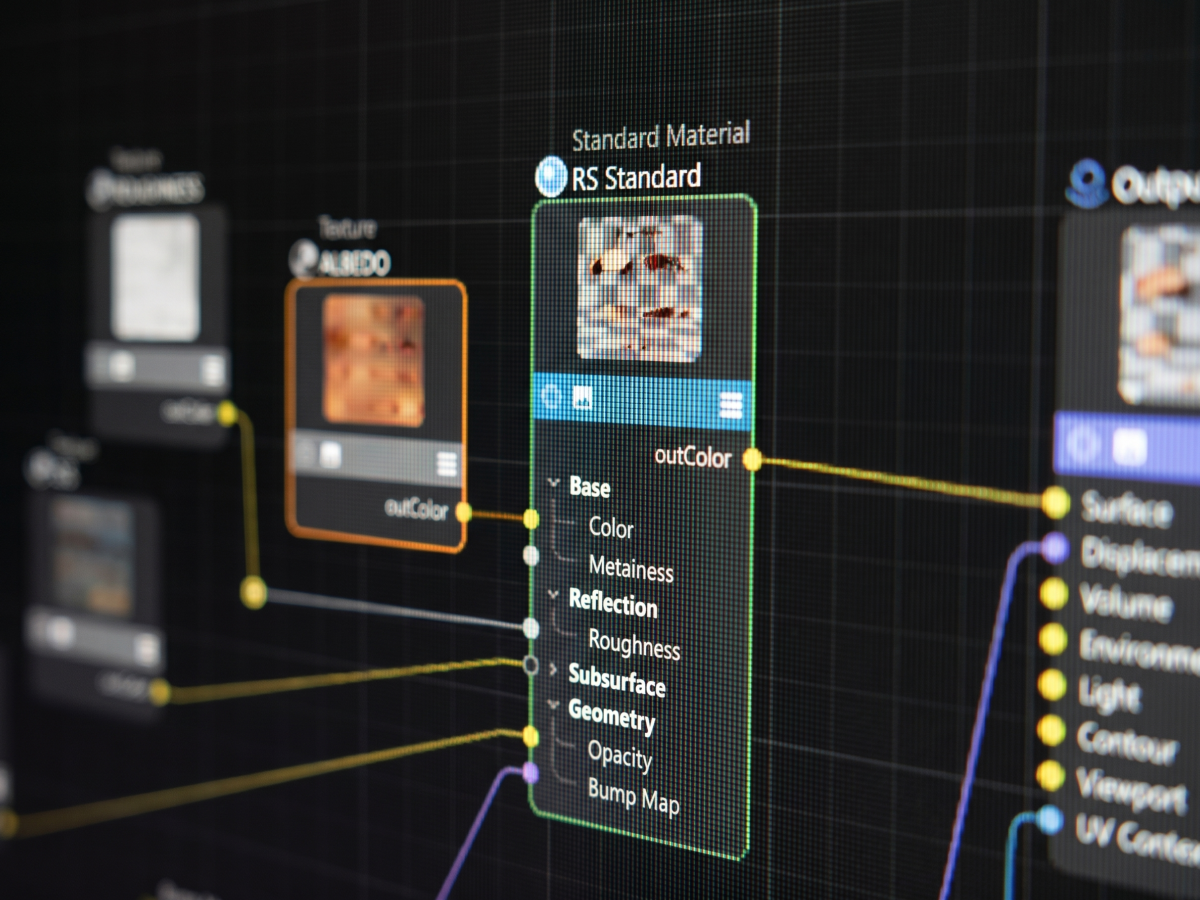
Every PBR texture set comes with 6-12 maps. Each needs a TextureSampler node, the right RS Standard Material input, and the right color space. Roughness, metalness, and normals need Raw, or they render wrong. Now multiply that by a folder full of materials.
The Node Ninja way
Point it at a folder. Instantly get a material.
Node Ninja identifies maps by filename, builds the Redshift node graph, sets color spaces, handles AO compositing, and fixes DirectX normals before you have had a chance to do it wrong yourself.
Auto-detects PBR maps
Albedo, roughness, metalness, normal, displacement, AO, emission, opacity, specular, and SSS maps are recognized automatically from filenames.
Fixes DirectX normals
Redshift expects OpenGL normals. If your texture set includes a DirectX normal map, Node Ninja corrects the input so it renders properly.
UV or Triplanar
Choose standard UV projection or world-space Triplanar at build time. Node Ninja wires whichever setup you pick.
Optional master controls
Scale, offset, and rotation can be controlled across all texture maps from one set of value nodes.
Batch-friendly speed
Point it at a parent folder and Node Ninja builds one material per subfolder for fast texture-library imports.
Handles name collisions
If a material already exists, choose to replace it, duplicate it with an incremented name, or skip it entirely.
Clean, readable node graphs
Every graph is structured and consistent, which makes materials easier to read, hand off, and update later.
Built for C4D 2026's UV Context node
On Cinema 4D 2026, Node Ninja uses Redshift's UV Context Projection node for a cleaner graph with scale, offset, and rotation built in.
See it in action
From folder to finished material in seconds.
Watch Node Ninja import a full PBR texture set, wire the node graph, and handle a GL normal map automatically.
Also included
Already have materials? Node Surgeon upgrades them.
Node Surgeon is included free with Node Ninja. It can switch projection modes, add or remove master controls, or upgrade legacy materials to Cinema 4D 2026's modern UV Context format without starting over. It scans the material, pre-fills the dialog, rebuilds the graph with your changes, and carries texture paths over automatically.

Node Surgeon is designed for standard PBR materials. It is not a converter for complex procedural setups, but if Node Ninja built it, it is safe to run.
What's included
Everything you need. Nothing you don't.
The download includes the C4D tools, documentation, and version support you need to start building Redshift materials faster.
Plugin
Node Ninja plugin (.pyp)
PBR texture auto-setup for Redshift materials.
Plugin
Node Surgeon plugin (.pyp)
Projection and UV Context upgrade tool for existing materials.
Guide
Full manual
Complete installation and usage notes for both plugins.
Versions
Cinema 4D 2024.5, 2025, and 2026
All supported C4D versions for the current plugin release.
Platforms
Mac and Windows
Built for artists who need the same shortcut across production machines.
Requirements
Redshift and standard PBR textures
Requires Cinema 4D 2024.5 or newer, Redshift, and common PBR texture naming.
Download the free plugin
Get Node Ninja for Cinema 4D.
Drop in your email and we will send it right over. No spam, no upsell - just the plugin. Free for personal and commercial use.
Check your email,your free download is on the way!